Salesforce can start as a straightforward place to keep track of leads and customers. Then the business grows, more teams begin using it, reports multiply, automations are added, and other software needs to exchange data with the CRM. Eventually, the hard part is no longer getting Salesforce to work. It is keeping everything working together without making the system harder to use. The numbers show how common this is: on average, only 29% of a company’s applications are integrated, and 80% of IT leaders say integration challenges are slowing their digital transformation efforts.
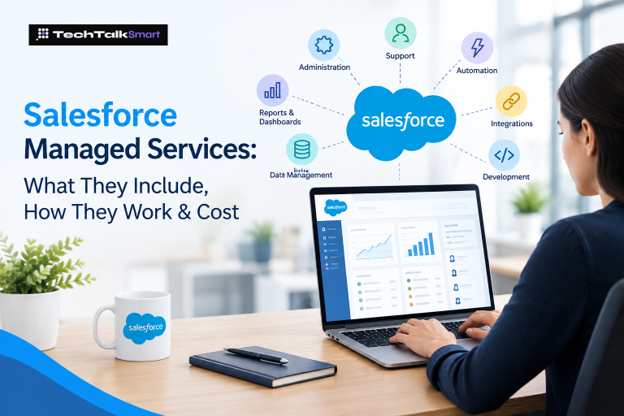
That is where Salesforce managed services can fit. Instead of treating Salesforce as a project that ends after implementation, a company can have ongoing help with administration, user requests, configuration, automation, data, integrations, development, and larger improvements.
The important point is that managed services are not a magic package that every company needs. A small business with a simple Salesforce setup may be perfectly comfortable managing the platform internally. A growing organization with a busy admin, several integrations, or a long list of unfinished requests may need a different arrangement. With fewer than a third of business apps typically connected, the gap tends to show up first in companies running many tools alongside the CRM.
This guide explains what ongoing Salesforce support actually looks like, where it can help, what it may cost, and what to ask before choosing a provider. The goal is to give a business owner or IT leader enough context to decide whether outside support solves a real problem.
What Are Salesforce Managed Services?
Salesforce managed services are ongoing professional services used to operate, maintain, support, and improve a Salesforce environment. The exact work depends on the agreement. One provider may mainly handle administration and user requests; another may also provide development, integrations, data work, release preparation, and strategic advice.
Salesforce describes managed service providers as organizations that can provide planning, implementation, customization, maintenance, ongoing support, and platform development. Salesforce also distinguishes that model from outsourcing providers that may own and manage Salesforce licenses for their clients. In the managed-service model described by Salesforce, the customer keeps control of its Salesforce licenses while the provider supplies specialized services. (Salesforce Help, 2025.)
Why Businesses End Up Needing Ongoing Help
The need usually does not appear because Salesforce suddenly stops working. It tends to appear gradually.
A sales manager needs a report changed. A new employee needs access. Marketing wants a field passed to another system. Customer service has a problem with a case process. An automation that worked six months ago now needs to account for a new business rule.
None of those requests is necessarily a major consulting project. But when they arrive every week, they create a real workload. If one administrator is responsible for all of it, that person can quickly become the bottleneck.
An outside team can take some of that workload off the internal team. It can also bring in skills that a single administrator may not have, such as development or complex integration work.
What Does a Managed Services Team Handle?
A managed services team handles regular Salesforce tasks like admin work, user support, automation, reports, and troubleshooting. They can also help with integrations, data, and custom development when needed.
Salesforce administration
A large share of ongoing work is ordinary administration: adding and removing users, managing access, updating fields and page layouts, maintaining reports, adjusting configuration, and responding to day-to-day requests. These jobs are not glamorous, but they are essential when a CRM is used by a busy team.
User support
Users do not always know whether a problem is a permission issue, a process problem, or a technical defect. A support team can investigate the request, explain what is happening, and make the appropriate change. A good service agreement should make it clear how requests are submitted, prioritized, and escalated.
Reports and dashboards
Reporting needs change as the business changes. A dashboard built for a small sales team may not be useful after new regions or product lines are added. Ongoing support can cover report changes, dashboard maintenance, and new views of the data. The objective should be useful information, not simply more charts.
Automation
Salesforce automation can remove repetitive work, but it can also become difficult to understand when many rules and exceptions are added over time. A managed team may build or adjust Flow-based processes, investigate failed automation, or simplify an existing setup. Before adding another automation, the provider should understand the business process it is supposed to improve.
Data management
Duplicate records, inconsistent information, outdated fields, and poorly controlled imports can reduce the value of a CRM. Ongoing support may include data cleanup, migration assistance, validation, and processes intended to keep information consistent. Cleaning the database once is useful; fixing the process that keeps creating bad data is better.
Integrations
Salesforce is often connected to other business systems. When information stops moving correctly between those systems, the issue may require more than basic administration. Providers with integration expertise can investigate API errors, synchronization problems, and changes that affect an existing connection.
Development and customization
Some requirements can be handled through normal Salesforce configuration. Others may require custom development. A capable provider should know the difference. Custom code can be appropriate for a genuine business requirement, but it also creates something that has to be maintained later.
Release preparation
Salesforce delivers three major seasonal releases each year—Spring, Summer, and Winter. Salesforce recommends reviewing release information and testing important use cases in a sandbox before a major release reaches production. That gives a managed team an opportunity to check critical workflows and identify issues before users encounter them.
What Does the Working Relationship Look Like?
A useful managed service relationship should feel less like calling a stranger every time something breaks and more like having a small extension of your Salesforce team.
The provider first needs to understand the existing environment: what Salesforce products are in use, how users work, which integrations are important, where the customizations are, and which problems keep returning.
From there, the two sides agree on the work the provider will handle. Some companies need a fixed number of support hours. Others prefer a broader monthly arrangement. Larger organizations may have formal service levels and separate project budgets.
The day-to-day work can then range from small configuration requests to larger technical changes. The useful part is continuity: the provider gradually learns the environment instead of starting from zero every time.
Managed Services vs. a Salesforce Consultant
The two can overlap, but the relationship is usually different.
| One-time consulting | Ongoing managed services |
| Usually tied to a defined project | Built around continuing support |
| Often focused on strategy, implementation, or a specific problem | Often covers administration, maintenance, requests, and improvements |
| May end after delivery | Continues as the business changes |
| Useful for a major transformation or new implementation | Useful when Salesforce creates a steady stream of work |
A company can use both. For example, a consulting team may redesign a sales process while a managed services team handles the smaller changes and support requests that follow.
Managed Services vs. Hiring an In-House Salesforce Admin
This decision comes down to workload, skills, and how much control the company wants to keep internally.
An internal administrator can become deeply familiar with the business. That is valuable. But one person may not have the time or experience to handle administration, development, integrations, data issues, and strategic work at the same time.
An outside team provides a different model. Instead of hiring several specialists, the company can bring in the expertise it needs when it needs it. There is also a hybrid option: an internal Salesforce owner works with an outside team for specialized or overflow work.
There is no universal answer. A company with a large, steady Salesforce workload may want substantial internal ownership. A smaller team with unpredictable demand may prefer external support.
How Much Do Salesforce Managed Services Cost?
There is no single price that applies to every company. The cost depends on the work being purchased, not simply on the fact that Salesforce is being used.
A small organization that needs occasional administration is very different from an enterprise environment with complex integrations, custom development, multiple Salesforce products, and strict response requirements.
Pricing may be structured as an hourly arrangement, a block of support hours, a monthly retainer, fixed-price projects, or a custom service agreement. The right comparison is not just the monthly number. Look at what that number actually buys.
Ask whether the proposal includes administration, development, integration work, data work, release support, and urgent requests. Also ask what happens when the agreed scope is exceeded.
Salesforce licensing should be considered separately from service fees. Salesforce’s documentation explains that in its managed-service model, the customer retains its Salesforce licenses while the managed service provider provides specialized support and platform services.
When Does Ongoing Support Make Sense?
You probably do not need a managed services contract simply because your company has Salesforce. If the system is small, stable, and comfortably maintained by your existing team, adding another vendor may not solve anything.
The case becomes stronger when Salesforce work keeps piling up. Perhaps the administrator is overloaded. Maybe there are integrations nobody wants to touch. Maybe employees have stopped trusting certain reports. Or perhaps the company is growing quickly and the Salesforce setup is becoming more complicated with it.
Another warning sign is dependency on one person. If one employee is the only person who understands the automations, permissions, integrations, and customizations, the company has a knowledge gap even if everything is working today.
Also Read: HubSpot Explained: CRM, Features, Pricing, and How It Works
Questions to Ask Before Choosing a Provider
- Who will actually work on our Salesforce environment?
- What Salesforce products and technical areas does the team support?
- How are support requests submitted and prioritized?
- What response time applies to urgent problems?
- Which services are included in the monthly fee?
- Are development and integration work included or billed separately?
- How are changes documented?
- How does the team handle access and permissions?
- Can we speak with references from businesses with similar requirements?
- What happens when our monthly workload changes?
Common Mistakes to Avoid
Avoid adding unnecessary automation or customization without understanding the actual business need. Also, don’t choose a provider based only on price—check their experience and support process first.
Choosing on price alone
A low monthly fee does not help if the provider cannot handle the technical work your environment requires.
Automating a broken process
Automation can make a good process faster, but it can also make a bad process harder to understand.
Building too much custom code
Custom development has a place, but every custom component becomes part of the future maintenance workload.
Ignoring data quality
Duplicate and inconsistent records eventually affect reports, workflows, and the people relying on the CRM.
Keeping all knowledge in one person’s head
Documentation and shared understanding reduce the risk of being dependent on one employee.
Treating support as emergency repair only
The provider should also help identify recurring problems and sensible improvements instead of waiting for the next failure.
Also Read: Top 10 CRM Software to Improve Sales and Customer Relationships
Final Thoughts
Salesforce managed services are ultimately about ownership. Someone needs to keep an eye on the CRM after the implementation is finished, respond when users need help, understand why things break, and make sensible changes as the business evolves.
For one company, that may be an internal administrator. For another, it may be an external team. A larger organization may use both.
The best arrangement is the one that matches the actual workload. Before signing a contract, look at the work your team is struggling to complete today. Then ask whether a managed services provider has the people, technical skills, communication process, and pricing model to solve those specific problems.
That approach is much more useful than buying a package simply because it carries the words ‘managed services’ on the label. It is also the practical takeaway we want readers of Tech Talk Smart to leave with.
Frequently Asked Questions
What are Salesforce managed services?
They are ongoing professional services that help a company administer, maintain, support, customize, and improve its Salesforce environment.
What does a Salesforce managed services provider do?
Depending on the agreement, the provider may handle administration, user support, reporting, automation, data work, integrations, development, release preparation, and ongoing improvements.
How much do Salesforce managed services cost?
There is no universal price. Cost depends on the size and complexity of the Salesforce environment, the amount of support required, technical work, integrations, and the provider’s pricing model.
Is managed services the same as Salesforce consulting?
No. Consulting is often organized around a project or specific business problem, while managed services are designed for continuing support. A company can use both.
Can a small business use managed services?
Yes. The important question is whether the service solves a real workload or skills gap without adding unnecessary cost.
Do managed services replace an internal Salesforce administrator?
They can, but they do not have to. Some companies use outside support instead of an internal administrator; others use a hybrid model.
Does managed services include Salesforce development?
It can. Some providers include development in their service, while others treat it as a separate project. The contract should make this clear.
How often does Salesforce release major updates?
Salesforce has three major seasonal releases each year: Spring, Summer, and Winter. Salesforce also provides additional updates for some products. Organizations should check the current release schedule and test important processes in a sandbox.
 Add us as a preferred source on Google