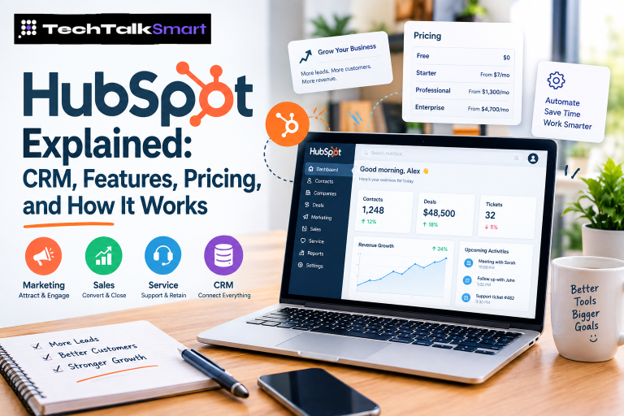
If your business is using spreadsheets for customer information, separate tools for email marketing, another platform for sales, and yet another system for customer support, things can get messy quickly. That is one of the reasons HubSpot has become popular with businesses looking for a more connected way to manage customer relationships.
But there is a bigger question behind the popularity: What is HubSpot actually good for, and is it worth paying for?
HubSpot is more than a traditional CRM. Its platform brings together customer relationship management, marketing, sales, customer service, content, data, and other business tools. The free CRM also gives small teams a way to get started without immediately committing to a paid plan. A CRM can be a worthwhile investment: one widely cited estimate puts the average return at $8.71 for every dollar spent, with most businesses seeing positive ROI within 12 months.
That sounds attractive, but HubSpot is not automatically the right choice for every company. The features you need, the size of your team, your marketing requirements, and your budget all matter. Adoption matters too. Average CRM adoption among sales professionals is about 72%, so a tool your team doesn’t use won’t pay for itself.
This guide takes a practical look at HubSpot CRM, HubSpot features, pricing, free tools, major Hubs, alternatives, and how HubSpot compares with other CRM platforms so you can decide whether it makes sense for your business.
What Is HubSpot and What Does It Do?
HubSpot is a customer platform designed to help businesses manage different parts of the customer journey from one connected system.
At the center is its CRM, where businesses can store contact information, track deals, record customer activity, manage tasks, and view communication history. Around that CRM are products designed for marketing, sales, customer service, content, data, and revenue-related work.
The basic idea is simple: instead of keeping customer information scattered across multiple systems, your team can work from shared customer data.
For example, imagine someone fills out a form on your website. A sales representative may need to see that person’s contact information, previous emails, sales activity, and current deal status. A customer service representative may later need access to the same customer’s history.
With a connected CRM, those interactions can be viewed as part of the same customer record rather than separate pieces of information.
That is where HubSpot software can become useful.
It is particularly interesting for small and growing businesses because you can start with the free CRM and add more advanced functionality as your needs change. HubSpot says its free CRM includes contact management, deal and task management, reporting, meeting scheduling, live chat, email tools, and other foundational features.
How Does HubSpot CRM Work?
The easiest way to understand how HubSpot CRM works is to think of it as a shared customer database combined with tools for managing customer interactions and business processes.
A basic CRM setup can include:
- Contact and company records
- Lead management
- Deal tracking
- Sales pipelines
- Tasks and activities
- Email communication
- Meeting scheduling
- Customer service tickets
- Reporting dashboards
- Integrations with other business applications
Instead of asking employees to remember what happened with a prospect, the CRM can keep a record of the relationship.
For example, a sales team might create a deal for a potential customer and move it through stages such as new lead, qualified, proposal, negotiation, and closed. Managers can then use the sales pipeline to understand which opportunities are moving forward and which ones may need attention.
HubSpot’s free CRM includes contact management, deals, task and activity tracking, pipeline management, reporting dashboards, CRM import tools, and integrations.
This becomes more valuable when different teams need the same customer information.
Marketing can use customer data to understand leads. Sales can see conversations and deal activity. Customer service can view support history. Instead of each department working from a completely different customer record, the information can be connected.
What Can You Manage With HubSpot CRM?
A business can use HubSpot CRM to organize customer records, leads, companies, opportunities, activities, and communication.
It can also help teams understand where a customer is in the buying process.
For a small business, that could be enough to replace a collection of spreadsheets and basic sales tools. For a larger organization, the CRM can become the foundation for more advanced marketing, sales, service, reporting, and automation workflows.
That difference is important because HubSpot for business can mean very different things depending on how much of the platform a company actually uses.
HubSpot Features: What You Actually Get
One of HubSpot’s biggest strengths is the range of tools available around the CRM. Rather than being only a sales database, the HubSpot platform is divided into different products designed for different parts of the customer journey.
The exact features available depend on the product and subscription level, so businesses should always check the current plan details before buying.
HubSpot Marketing Hub
Marketing Hub focuses on attracting prospects, generating leads, communicating with audiences, and measuring marketing performance.
Its capabilities include areas such as lead generation, email marketing, marketing automation, landing pages, forms, campaign management, advertising, and analytics. HubSpot currently positions Marketing Hub around generating leads and automating marketing activities.
For a business, the advantage is that marketing activity can connect back to CRM data.
For example, instead of simply knowing that someone opened an email, your team may be able to connect that activity with the customer’s broader relationship with the company.
That can make it easier to understand which marketing activities are actually helping move prospects toward a sale.
HubSpot Sales Hub
Sales Hub is designed for sales teams that need to manage leads, prospects, deals, outreach, and sales processes.
Current Sales Hub features include lead management, sales automation, deal pipelines, prospecting tools, call tracking, sales reporting, and AI-powered sales capabilities.
A sales representative can use the platform to manage daily activities while sales managers can use reporting and pipeline information to understand performance.
The practical benefit is not simply having more sales features. It is having those sales activities connected to customer information already stored in the CRM.
For example, a salesperson can see a customer’s previous interactions rather than starting every conversation without context.
HubSpot Service Hub
Service Hub is designed around customer support and retention.
It includes tools for areas such as help desk management, ticketing, customer communication, service analytics, and omnichannel support. HubSpot describes Service Hub as a customer service platform connected with marketing and sales information through its unified customer platform.
This can be useful when a company wants customer service representatives to have more context.
Suppose a customer contacts support after purchasing a product. The service team may need to know who the customer is, what they purchased, previous conversations, and whether there are existing issues. Having that information connected can reduce the need to search through separate systems.
Other HubSpot Tools
The HubSpot platform extends beyond marketing, sales, and service.
Depending on the products and plans a business uses, HubSpot also provides tools related to content, data, revenue, reporting, integrations, and AI-powered functionality.
The important point is that businesses do not necessarily need to adopt every part of the platform.
A company might use HubSpot mainly as a CRM and sales tool, while another business may use it across marketing, sales, service, and content.
How Much Does HubSpot Cost?
HubSpot pricing is one of the areas buyers should examine carefully.
There is no single price that represents every HubSpot setup. Cost depends on which products you use, how many users you have, the subscription level, and the features your business needs.
As of October 2026, HubSpot’s U.S. Customer Platform pricing page lists a Free option at $0 per month for up to two users. The current Starter promotional price starts at $7 per seat, compared with a listed $20 per-seat standard price. HubSpot also lists Professional starting at $1,300 per month with six seats and Enterprise starting at $4,700 per month with eight seats. Promotional pricing and plan terms can change, so buyers should verify the current price before subscribing.
HubSpot also uses HubSpot Credits for certain AI agents and features, which adds another reason to look at the specific tools you plan to use rather than judging the platform from the headline subscription price alone.
Free vs Paid HubSpot
The free version is one of HubSpot’s biggest attractions.
A small company can start with basic CRM capabilities without paying a monthly subscription. HubSpot says its free CRM has no expiration date and includes foundational tools such as contact management, deal pipelines, tasks, reporting, meeting scheduling, live chat, and email functionality.
Paid plans become relevant when a business needs more advanced automation, reporting, permissions, customization, sales functionality, marketing capabilities, or service features.
That means the real question isn’t simply, “Is HubSpot free?”
The better question is:
Which HubSpot features does your business actually need?
A two-person company with a straightforward sales process may be perfectly comfortable with the free CRM. A growing organization with complex automation and reporting requirements may quickly need a paid tier.
Is HubSpot Free?
Yes, HubSpot offers a free CRM with no expiration date. However, “free HubSpot” does not mean that every feature across the entire platform is available at no cost.
The free CRM is designed to provide foundational functionality. As a business requires more advanced capabilities, it can move into paid products and tiers.
HubSpot currently states that its free CRM is available for up to two users and includes core tools for managing contacts, deals, tasks, communication, and reporting.
For someone researching HubSpot CRM free features, this distinction matters.
You can start without paying, but you should not assume that every advanced marketing, sales, service, automation, or reporting feature will remain free as your requirements become more sophisticated.
What Are the Benefits of HubSpot?
The strongest argument for HubSpot is the way its tools connect.
Instead of buying one system for customer records, another for sales activity, another for marketing automation, and another for customer support, a business can build more of its customer workflow around one platform.
Some of the biggest advantages include:
- A connected CRM: Customer records, sales activity, and other customer information can be managed in one environment.
- A useful free starting point: Small teams can begin with the free CRM instead of paying immediately.
- Multiple business functions: Marketing, sales, and customer service can work with connected customer information.
- Automation: Paid products provide more advanced ways to automate repetitive processes.
- Reporting: Teams can use dashboards and reporting to understand sales and customer activity.
- Integrations: HubSpot’s Marketplace provides integrations that can connect the CRM with other business tools. HubSpot says its free CRM connects with more than 2,000 apps through the Marketplace.
- Room to grow: Businesses can begin with basic CRM functionality and add capabilities as their needs increase.
The last point can be especially useful for startups. You don’t necessarily have to rebuild your customer database from scratch when moving from the free CRM to more advanced HubSpot products.
What Are the Downsides of HubSpot?
A good HubSpot review should not focus only on its strengths.
The platform’s broad feature set can also be its weakness.
If your company only needs a straightforward sales pipeline, using a large all-in-one platform may be unnecessary. A simpler CRM could be easier to manage and potentially less expensive.
Cost can also become more important as your requirements grow. The free entry point is attractive, but advanced functionality can move a business into higher-priced plans. Current Customer Platform Professional and Enterprise pricing is substantially higher than the free and Starter options.
Another consideration is complexity.
HubSpot can do a lot, but businesses need to spend time deciding how their CRM should be structured, what automation they actually need, how users should work with the system, and which features are worth paying for.
In other words, having more tools doesn’t automatically mean getting more value.
For a small company with simple requirements, fewer tools may sometimes be better.
HubSpot vs Other CRM Platforms
There isn’t one CRM that is best for every business.
HubSpot vs Salesforce
HubSpot and Salesforce both serve businesses that need CRM and sales capabilities, but they appeal to somewhat different buying priorities.
HubSpot is often attractive to companies that want CRM, marketing, sales, and customer service tools closely connected in one platform.
Salesforce is a major choice for organizations that need highly configurable CRM capabilities and complex enterprise processes.
For a small or mid-sized business looking for an easier starting point, HubSpot can be appealing. For organizations with complex enterprise requirements, extensive customization needs, or an existing Salesforce ecosystem, Salesforce may deserve closer consideration.
The right choice depends less on which brand is “better” and more on how complicated your business processes are.
HubSpot vs Zoho CRM
Zoho is another major alternative, particularly for businesses comparing CRM functionality and overall software costs.
HubSpot’s appeal is its connected approach across marketing, sales, service, and other customer-facing functions. Zoho takes a broader business-software approach through its own collection of applications.
If your priority is an integrated customer platform with a strong marketing and sales ecosystem, HubSpot may be worth considering.
If keeping software costs controlled and building around a broader collection of business applications is more important, Zoho may be a stronger alternative.
HubSpot vs Pipedrive
Pipedrive is especially relevant when the main requirement is sales pipeline management.
If your team primarily needs to organize leads, deals, sales activities, and follow-ups, a sales-focused CRM can be easier to evaluate than a large all-in-one platform.
HubSpot becomes more interesting when marketing, customer service, automation, and other functions need to work alongside the CRM.
HubSpot vs ActiveCampaign
ActiveCampaign is another platform worth considering for businesses that put a strong emphasis on email marketing and automation.
The comparison becomes less about basic CRM functionality and more about what your business is trying to accomplish.
If you want a broad customer platform covering several departments, HubSpot may make more sense. If sophisticated marketing automation is the central requirement, ActiveCampaign deserves a closer look.
Also Read: `
Top 10 HubSpot Alternatives in 2026
If HubSpot doesn’t fully match your business needs, these 10 alternatives offer different options for CRM management, sales automation, and marketing.
-
Salesforce
Salesforce is a strong alternative for businesses that need advanced CRM customization, detailed reporting, and tools for managing complex sales operations. It is particularly suitable for growing and enterprise teams that need more control over their workflows.
-
Zoho CRM
Zoho CRM is worth considering if you want sales automation, lead management, reporting, and customization within a broader business software ecosystem. It can be a practical option for small and mid-sized companies looking for a flexible CRM.
-
Pipedrive
Pipedrive is designed around visual sales pipeline management, helping sales representatives track deals, schedule follow-ups, and understand which opportunities need attention. It is a good fit for teams that prioritize sales activities over an all-in-one marketing platform.
-
ActiveCampaign
ActiveCampaign is particularly useful for businesses that rely on email marketing, customer segmentation, and automated customer journeys. Consider it if marketing automation is a major priority and you want to connect customer communication with sales activities.
-
Freshsales
Freshsales combines contact management, sales pipelines, automation, and communication tools in a sales-focused CRM. It is worth exploring if your team wants to manage leads and customer interactions without adopting a more complex enterprise platform.
-
monday CRM
monday CRM offers customizable workflows, visual dashboards, and automation that businesses can adapt to their sales processes. It may suit teams that want customer management to work alongside their existing project and workflow management.
-
Close
Close is built for sales teams that depend heavily on outbound prospecting, calls, emails, and follow-ups. Its integrated communication tools can be useful for teams that want to manage customer conversations and sales activities in one workspace.
-
Brevo
Brevo is an option for businesses that prioritize email marketing, customer communication, and marketing automation alongside contact management. It is worth considering when your main goal is managing customer engagement rather than implementing a highly customized enterprise sales CRM.
-
Copper
Copper is designed to work closely with Google Workspace, making it relevant for teams that rely on Gmail, Google Calendar, and related tools. It can help businesses manage contacts, relationships, and sales opportunities without constantly switching between separate applications.
-
Keap
Keap combines CRM functionality with marketing automation and business processes designed for small businesses and service-based companies. It may be a good fit for businesses that want to organize leads, automate follow-ups, and manage customer communications in one system.
Is HubSpot Good for Small Business?
For many small businesses, HubSpot is worth considering because the free CRM provides a practical starting point.
A small company can organize contacts, track deals, manage activities, schedule meetings, use basic communication tools, and create a shared customer database without paying for a full enterprise platform.
But that doesn’t mean every small business needs HubSpot.
If your business has only a few sales opportunities and a simple follow-up process, a lightweight CRM may be enough.
HubSpot becomes more compelling when your business is starting to connect multiple activities: lead generation, marketing campaigns, sales follow-up, customer support, reporting, and customer retention.
The key is to start with the tools you actually need rather than buying features simply because they are available.
Is HubSpot Worth It?
For a business that wants its CRM, marketing, sales, and customer service processes connected, it can be.
Its free CRM makes it easier for small teams to test the platform without immediately committing to a large software bill. As needs become more advanced, businesses can move into paid plans and additional Hubs.
The biggest reason to choose HubSpot is not that it has the most features. It is that those features can work around shared customer information.
On the other hand, businesses should be realistic about cost and complexity. If you only need a basic sales pipeline, you may not need a platform this broad.
Before buying, compare the exact features your team needs, the number of users, expected growth, integrations, automation requirements, and the total cost of the plan you would actually use.
Also Read: Showman App: Features, Pricing, How It Works & Complete Guide
Final Thoughts
HubSpot is not simply a free CRM or another sales tool. It is a broad customer platform built around the idea of connecting customer information with marketing, sales, service, and other business activities.
For a small business, the free CRM can be a sensible place to start. For a growing company, the wider HubSpot platform can provide a way to bring more customer-facing processes together.
But don’t choose HubSpot just because it has a long feature list.
Look at your actual workflow, budget, team size, automation needs, and growth plans. If you need a connected platform for managing the customer journey, HubSpot is worth serious consideration. If you only need a simple CRM, a more focused and affordable alternative may be the smarter choice. For more practical software guides like this, keep reading Tech Talk Smart.
Frequently Asked Questions
What is HubSpot used for?
HubSpot is used to manage customer relationships and support activities across areas such as CRM, marketing, sales, customer service, content, and data. Its CRM can store customer records, track deals, manage activities, and provide reporting.
How does HubSpot CRM work?
HubSpot CRM stores customer and company information in shared records and connects that information with activities such as sales interactions, deals, tasks, and communication. This gives teams a centralized view of customer relationships.
Is HubSpot free?
Yes. HubSpot offers a free CRM with foundational tools and no expiration date. The free version has limitations, while advanced capabilities are available through paid products and plans.
How much does HubSpot cost?
HubSpot pricing depends on the product, plan, seats, and features you choose. Its current U.S. Customer Platform page lists Free at $0, Starter promotional pricing beginning at $7 per seat, Professional starting at $1,300 per month, and Enterprise starting at $4,700 per month. Pricing can change, so check the current official pricing before purchasing.
Is HubSpot good for small businesses?
It can be a strong option for small businesses that want a CRM and may eventually need marketing, sales, or service tools. The free CRM provides a low-cost starting point, although businesses with very simple requirements may prefer a smaller CRM.
Is HubSpot worth it?
HubSpot can be worth it when your business benefits from connecting customer data, marketing, sales, and service processes. It may be less attractive if you only need basic CRM or sales pipeline functionality.
What are the best HubSpot alternatives?
Common alternatives include Salesforce, Zoho CRM, Pipedrive, ActiveCampaign, and Freshsales. The best option depends on whether your priority is enterprise CRM, affordability, sales management, marketing automation, or an all-in-one customer platform.
Can HubSpot replace a CRM and marketing platform?
Yes, that is one of the main reasons businesses consider HubSpot. Its CRM works alongside marketing, sales, service, content, and other products, allowing companies to connect several customer-facing processes within the same platform.
 Add us as a preferred source on Google