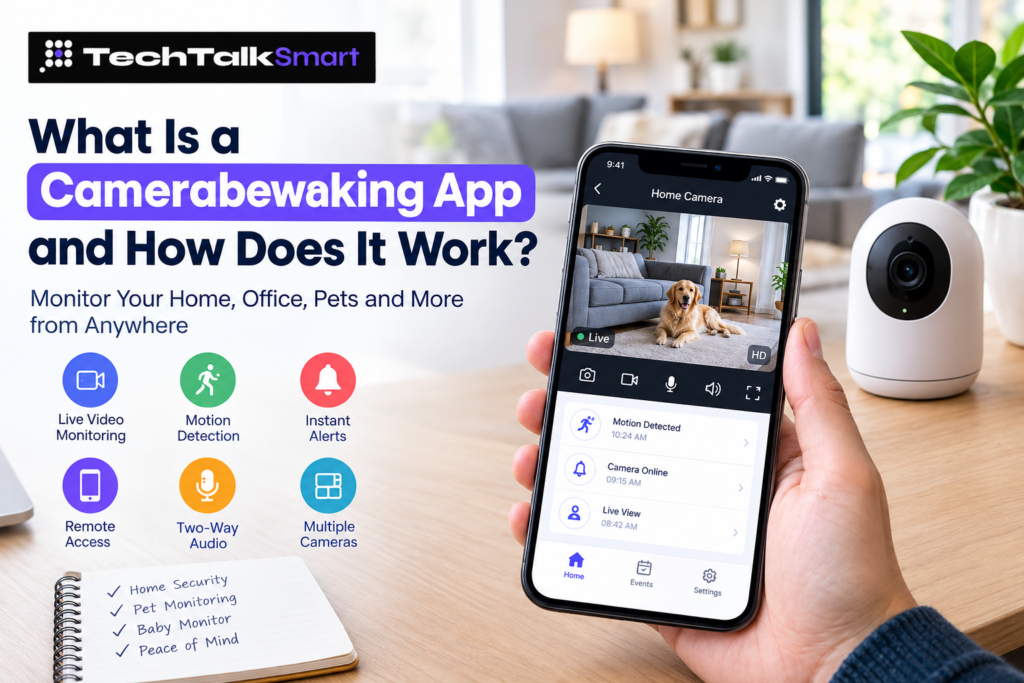
A camera monitoring app can make it much easier to keep an eye on your home, office, pets, children, or other important spaces when you are away. Instead of checking a camera only when you are physically present, a phone app can give you access to a live camera view from almost anywhere with an internet connection.
This matters because the risky hours are often when you’re out: in 2024, daytime residential burglaries in the US (216,601) outnumbered nighttime ones (174,053), so homes are often most exposed while everyone is at work or school.
Today, people use different types of camera monitoring solutions for home security. Some connect a dedicated Wi-Fi security camera to a mobile app, while others allow an old smartphone or tablet to work as the camera itself. This has made security camera apps useful for people who want a simple way to monitor a room without building a complicated surveillance system.
The basic idea is straightforward. One device captures video, while another device lets you watch that video. Depending on the app and camera, you may also get motion notifications, recorded clips, sound detection, two-way communication, night vision, or access to several cameras from one place.
What Does a Camerabewaking App Do?
A camerabewaking app connects your camera or another compatible device to your phone, tablet, or computer. Once the setup is complete, you can use the app to check what is happening in the monitored area.
A typical setup may include:
- Live video viewing
- Remote camera access
- Motion detection
- Security notifications
- Video recording
- Playback of recorded footage
- Two-way audio
- Multiple camera support
- Night monitoring
- Camera sharing with family members
The exact features depend on the app and the camera being used. Some applications are designed specifically for dedicated security cameras, while others are built around smartphones and tablets.
For example, AlfredCamera allows an old phone to be used as a camera while another device acts as the viewer. Its current app listing describes live streaming, motion-triggered alerts, and uses such as home monitoring, pet monitoring, and baby monitoring.
How Does a Camerabewaking App Work?
The process is usually easier than installing a traditional CCTV system.
First, you need a camera device. This could be a Wi-Fi security camera, an IP camera, an Android phone, an iPhone, or another supported device.
The camera then connects to your home network or mobile internet. The app uses that connection to send the video to your viewing device.
A simple setup normally looks like this:
- Install the camera monitoring app.
- Sign in or create an account if required.
- Add your camera or camera device.
- Connect the camera to Wi-Fi or another supported network.
- Choose where the camera should be placed.
- Open the app on your phone.
- Check the live video feed.
- Configure notifications and recording settings.
Some apps use a pairing code or QR code to connect two devices. AlfredCamera, for example, describes a setup where an old phone becomes the camera and another phone works as the viewer.
Once everything is connected, you can normally open the app and check the camera feed without being in the same room.
Can You Use an Old Phone as a Security Camera?
Yes, some apps are specifically designed for this purpose.
An old smartphone that is no longer your primary device can become a useful monitoring camera. This can be convenient if you already have an unused Android phone or iPhone at home.
Instead of purchasing another camera immediately, you can place the old phone in a suitable position and use a camera app to stream its video to your current phone.
This approach can be useful for:
- Watching an entrance
- Checking a garage
- Monitoring a baby
- Keeping an eye on pets
- Watching a storage room
- Checking an office
- Monitoring a temporary location
Apps such as AlfredCamera specifically support turning older smartphones and tablets into home security cameras.
However, an old phone should be placed safely and kept connected to a reliable power source if you want it to operate for long periods. You should also consider the phone’s battery condition, available storage, Wi-Fi connection, and camera quality.
Why Use a Camerabewaking App for Home Security?
A home security camera can provide useful visibility when you are not at home. The main advantage of using an app is that you do not have to be physically next to the camera to see what is happening.
With a suitable setup, you can check a live feed from your phone while you are at work, traveling, or simply in another part of the house.
A home monitoring setup can be useful for:
- Checking doors and entryways
- Watching children
- Monitoring pets
- Checking on elderly family members
- Keeping an eye on a home office
- Monitoring a garage or storage area
- Checking a property while traveling
Remote access is one of the main features found in established security camera apps. Reolink, for example, supports remote live streaming, playback, and real-time notifications through its app.
Live Camera Monitoring From Your Phone Live Camera Monitoring From Your Phone
One of the most useful features is live camera monitoring.
Instead of waiting for a recorded video, you can open the app and see the current camera view. This can be useful when you want to quickly check a room, entrance, pet, child, or another monitored area.
The quality of live viewing depends on several factors:
- Camera resolution
- Internet speed
- Wi-Fi signal
- Phone performance
- Camera location
- App capabilities
A stronger internet connection generally makes remote viewing more reliable. If the camera is located far from the Wi-Fi router, the video may become slow or disconnect.
Some security camera systems also allow several cameras to be displayed at once. Reolink, for example, supports multi-screen live viewing through its app, depending on the setup.
Motion Detection and Security Alerts
Watching a camera continuously is not practical for most people. This is where motion detection becomes useful.
When motion detection is enabled, the camera can identify movement and send a notification to your phone. Instead of repeatedly opening the app, you can wait for an alert when something happens.
Depending on the camera and app, alerts may be based on:
- General movement
- People
- Animals
- Vehicles
- Sound
- Other supported events
Modern security camera apps can offer more specific detection options. Arlo, for example, provides configurable detection for people, animals, vehicles, and other motion events on supported systems.
This can reduce unnecessary notifications. For example, if a tree branch moves in front of an outdoor camera, you may not want the same type of notification as when a person approaches your door.
Remote Camera Viewing
Remote camera viewing is another important reason people use a camerabewaking app.
Imagine leaving home for work and wondering whether everything is okay. Instead of returning home or asking someone else to check, you can open the app and view the camera remotely.
This can be especially useful for:
- Vacation homes
- Apartments
- Small offices
- Garages
- Pets
- Children
- Elderly family members
- Temporary monitoring locations
The experience depends heavily on the camera’s internet connection. If the camera goes offline, remote viewing will not work until the connection is restored.
Camerabewaking App for Android and iPhone
When choosing a camera monitoring app, device compatibility is important.
Many popular security camera apps support Android and iPhone, but the exact features may differ between platforms.
Before installing an app, check:
- Android version requirements
- iOS version requirements
- Camera compatibility
- Account requirements
- Cloud storage options
- Notification support
- Recording features
- Multiple-device support
Reolink currently provides separate Android and iOS versions of its app, while its documentation also covers remote live viewing, playback, notifications, and camera settings.
If you are using an old phone as a camera, check whether the app supports that phone’s operating system before setting it up.
What Features Should You Look For?
Not every camera app offers the same experience. A simple app may only provide live video, while a more complete home security camera app may include recording, notifications, audio, and multiple-camera management.
-
Live Video
Live viewing should be easy to access. A good app should let you open the camera feed without unnecessary steps.
-
Motion Detection
Motion detection can notify you when movement occurs. This is particularly helpful when you are monitoring an entrance or another area where unexpected activity matters.
-
Remote Access
Remote access lets you check the camera when you are away from home. This is one of the main reasons people choose an app-based surveillance system.
-
Video Recording
Recording can be useful when you need to review something that happened earlier. Depending on the service, recordings may be stored locally, on a memory card, or through cloud storage.
-
Two-Way Audio
Two-way audio can allow you to hear what is happening and speak through the camera when supported. This can be useful for communicating with family members or talking to a pet while you are away.
-
Multiple Cameras
If you want to monitor several areas, look for an app that supports multiple cameras from the same account. This can be helpful for larger homes, offices, or properties with different entry points.
-
Night Monitoring
If the camera will operate after dark, check whether it supports night vision or another low-light mode. The quality of night footage depends on the camera hardware as well as the app.
Camerabewaking App for Pets
A camera does not always have to be used for security.
Pet owners often use camera monitoring apps to check on dogs and cats while they are away. A camera can show whether a pet is sleeping, moving around, or waiting near a door.
Some applications also provide sound or motion notifications, which can make it easier to know when something is happening.
A pet monitoring setup can be useful for:
- Dogs
- Cats
- Puppies
- Other household pets
Some smartphone-based camera apps specifically promote pet monitoring alongside home security and baby monitoring.
Using a Camerabewaking App as a Baby Monitor
A spare smartphone can also be used as a basic baby monitoring camera when supported by the application.
One device can remain near the baby while another stays with the parent. The parent can then check the video feed remotely.
Important features for this use include:
- Clear video
- Reliable connection
- Sound monitoring
- Night visibility
- Motion alerts
- Stable power
- Secure account access
A phone-based baby monitor can be convenient, but it should not replace appropriate supervision or a purpose-built monitoring device when specialized safety features are needed.
CCTV Camera App vs. Smartphone Camera App
There are two common approaches to app-based monitoring.
A CCTV camera app generally connects to a dedicated security camera system. The camera is designed specifically for surveillance and may offer features such as higher resolution, night vision, weather resistance, local storage, or multiple-camera support.
A smartphone camera app can use an existing phone as the camera. This can reduce the need to purchase additional hardware.
Dedicated security camera
- Designed for continuous monitoring
- Often supports outdoor installation
- May offer better night vision
- Can support local storage
- Usually requires dedicated hardware
Smartphone-based camera
- Uses an existing device
- Can be inexpensive to start
- Easy to move
- Useful for temporary monitoring
- May require continuous charging
The right option depends on what you want to monitor and how long you expect the camera to operate.
How to Set Up a Camerabewaking App?
Setting up a camera monitoring system does not necessarily require technical knowledge.
Start by choosing the location carefully. The camera should have a clear view of the area you want to monitor and should be positioned where it cannot easily fall or become blocked.
Then connect the camera to the app and test the live feed.
A basic setup process includes:
- Choose a suitable camera location.
- Connect the camera to power.
- Connect it to Wi-Fi when required.
- Install the app on your viewing device.
- Add or pair the camera.
- Test the live video.
- Adjust the camera angle.
- Turn on useful notifications.
- Test remote viewing before relying on the system.
After setup, check the camera from another location. This confirms that remote access is actually working instead of assuming it will work when you need it.
How to Improve Camera Monitoring at Home?
The position of the camera can make a major difference.
A camera pointed directly at a bright window may produce a poor image. Likewise, a camera placed too far from the Wi-Fi router may have an unstable connection.
For better results:
- Place the camera where it has a clear view.
- Keep the lens clean.
- Avoid pointing directly toward strong light.
- Keep the device connected to reliable power.
- Check Wi-Fi strength.
- Test the live feed regularly.
- Adjust motion sensitivity when available.
- Keep the app updated.
- Use a strong account password.
If you use an old phone as a camera, remember that the device needs enough storage, power, and network connectivity for the features you want to use. AlfredCamera’s current requirements, for example, include storage and internet considerations for features such as activity detection and continuous recording.
Also Read: Apps and Applications: Types, Uses, Features and How to Choose the Right One
Are Free Camerabewaking Apps Worth Using?
A free camerabewaking app can be a practical starting point, particularly when you already have a spare phone.
However, “free” does not always mean that every feature is included. Some services may offer basic live viewing for free while charging for additional storage, advanced detection, longer recording history, or other premium features.
Before choosing a free security camera app, check:
- What features are included
- Whether recording is free
- How long recordings are stored
- Whether notifications are included
- Whether advertisements appear
- Whether multiple cameras are supported
- Whether cloud storage costs extra
This makes it easier to understand the real cost before you build your entire monitoring setup around an app.
Privacy and Security Matter
A camera placed inside your home can capture highly personal information. Because of that, privacy should be considered before choosing any surveillance or camera monitoring service.
Use a strong, unique password for your account and enable additional security options when they are available.
You should also understand where your video is stored. Some systems use cloud storage, while others can save footage locally.
Before installing a camera, consider who may have access to the footage and avoid placing cameras in areas where people reasonably expect privacy.
Good security habits include:
- Use a strong password.
- Do not share account credentials.
- Enable available account security features.
- Keep the app and camera firmware updated.
- Review connected devices regularly.
- Understand the app’s privacy settings.
- Check where recordings are stored.
- Secure your home Wi-Fi network.
Privacy policies and data practices can differ between camera applications, so it is worth reviewing them before creating an account.
What Makes a Good Camerabewaking App?
The best choice depends on how you plan to use the camera.
Someone monitoring a front door may care most about motion alerts and reliable remote access. A pet owner may care more about live video and two-way audio. Someone using an old smartphone may prioritize easy setup and low cost.
A useful camera monitoring app should make the important functions easy to understand.
Look for an app that provides:
- Reliable live viewing
- Simple camera setup
- Useful motion alerts
- Stable remote access
- Appropriate recording options
- Device compatibility
- Clear privacy controls
- Reasonable storage options
- Support for the number of cameras you need
The goal is not simply to have more features. The goal is to have the features that match your particular monitoring needs.
Final Thoughts
A camerabewaking app can turn a phone or compatible security camera into a convenient way to monitor a home, office, pet, baby, or other space remotely.
The most useful features usually include live camera monitoring, remote viewing, motion detection, notifications, recording, and support for multiple devices. Established apps in this category show that these features are now common parts of modern camera monitoring systems, and guides like those on techtalksmart can help you compare them before you decide.
If you already have an unused smartphone, a phone-based setup can be a simple way to start. If you need continuous outdoor monitoring, multiple cameras, or specialized surveillance features, a dedicated security camera system may be more suitable.
Before choosing an app, think about what you actually need to monitor, how often you will access the camera, whether you need recordings, and how much control you want over alerts and privacy.
With the right setup, a camerabewaking app can provide a convenient way to check what matters to you without needing to be physically present.
Frequently Asked Questions
What is a camerabewaking app?
A camerabewaking app lets you monitor a home, office, pet, baby, or other space through a connected camera or smartphone. It can provide live video, remote access, motion alerts, recording, and other monitoring features.
Can I use an old phone as a security camera?
Yes. Some camera monitoring apps allow you to turn an unused smartphone or tablet into a camera and use another device to watch the live feed. This can be useful for monitoring entrances, pets, garages, offices, or other temporary locations.
What features should I look for in a camerabewaking app?
Important features can include live video, motion detection, remote access, video recording, two-way audio, multiple-camera support, and night monitoring. The right combination depends on what you want to monitor.
Are free camerabewaking apps worth using?
A free app can be a good starting point, especially when you already have a spare phone. However, some apps charge for features such as cloud storage, longer recording history, advanced detection, or additional camera support.
Are camerabewaking apps secure and private?
Security and privacy depend on the app and how you configure it. Use a strong password, enable available security features, keep the app and camera updated, review connected devices, and understand where your recordings are stored.
 Add us as a preferred source on Google