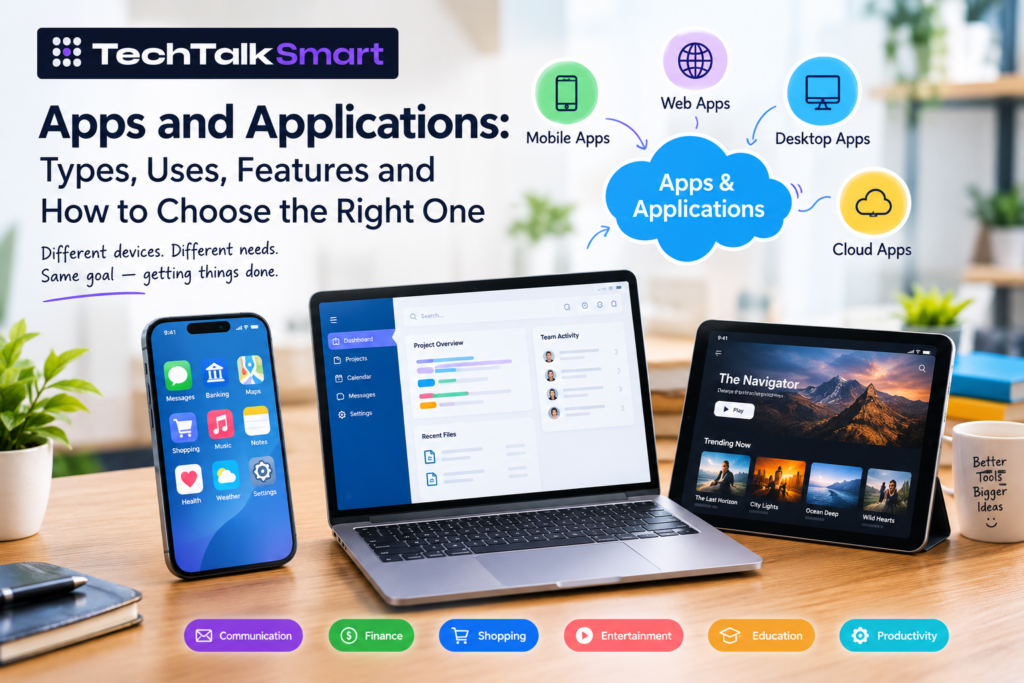
You probably use more applications than you realise. The average mobile user now spends about 3.6 hours a day inside apps and uses 34 different ones every month. You might check email from your phone in the morning, use a banking app to pay a bill, open a browser-based tool for work, edit a document on a laptop, and switch to a streaming app later in the day. These are different kinds of software, but they all solve a specific problem.
That is what makes apps and applications useful. They are not limited to smartphones or app stores. An application can be a small utility on a phone, a web-based platform used by thousands of employees, a desktop program, or a cloud service that runs much of a company’s daily operations.
The right application depends on what you need it to do, where you need to use it, what information it handles, and how much control you need over the software. At Tech Talk Smart, we cover apps, software and technology topics with a focus on explaining what different tools do and where they fit into everyday use and business needs.
This guide looks at the different types of applications, where they fit, the features that matter, how applications are developed, and what to consider before choosing one.
Apps and Applications: What Is the Difference?
The words “app” and “application” are often used interchangeably.
“App” is simply a shorter and more common way of referring to an application. The word is particularly common when talking about mobile software, such as an Android or iPhone app.
Application is a broader term. It can describe software running on a smartphone, computer, browser, server, or another connected device.
For example, a banking app on your phone is an application. So is accounting software running on a desktop computer. A browser-based CRM system is also an application.
The important distinction is usually not the word being used, but where the software runs and what it is designed to accomplish.
Where Apps Fit Into Everyday Tasks
One reason applications have become so common is that they turn complicated tasks into repeatable actions.
Instead of visiting a branch to check a bank balance, a customer can open an app. Instead of keeping a paper calendar, someone can manage appointments through software. A business can replace spreadsheets and email chains with a project management application.
Some applications are built around one specific function, while others bring several related tools together.
Common examples include:
- Messaging and communication
- Online banking and payments
- Shopping and e-commerce
- Navigation and travel
- Video and music streaming
- Photo and video editing
- Note-taking
- File storage
- Project management
- Customer relationship management
- Accounting
- Inventory management
- Education and training
The value of an application usually comes down to whether it makes a particular task easier, faster, more organised, or more accessible.
Mobile Applications
Mobile applications are designed primarily for smartphones and tablets.
They can be downloaded through app stores or, depending on the platform and application, installed through other approved methods. Mobile apps can also use device capabilities such as cameras, GPS, microphones, notifications, contacts, and biometric authentication when the appropriate permissions are provided.
A travel app, for example, may use location services to help someone find nearby places. A banking application may use biometric authentication to make account access more convenient.
Mobile applications can be built specifically for one operating system or developed using technologies that support multiple platforms.
Common Mobile App Categories
Mobile software covers a wide range of uses, including:
- Productivity apps
- Social media applications
- Finance and banking apps
- Shopping apps
- Fitness applications
- Education apps
- Entertainment applications
- Travel apps
- Communication tools
- Utility applications
The important factor is not the category itself. It is how well the application handles the task for which it was designed.
Web Applications
A web application runs through a web browser rather than requiring the user to install a traditional desktop program.
You may already use web applications without thinking of them as software. Online email services, cloud-based document tools, project management platforms, customer management systems, and many business dashboards work this way.
A web application can be accessed from different devices as long as the required browser and internet connection are available.
This can be useful for businesses because users do not necessarily need to install the same software on every computer. Updates can also be managed on the service’s side rather than requiring every user to manually install a new version.
However, web applications can depend heavily on internet connectivity and browser compatibility. Some can offer offline features, but that depends on how the application has been developed.
Desktop Applications
Desktop applications are installed directly on a computer and are designed for operating systems such as Windows or macOS.
They remain important for tasks that benefit from dedicated computer resources, advanced controls, large screens, or access to local files and hardware.
Examples include:
- Video editing software
- Graphic design programs
- Accounting software
- Development environments
- Engineering tools
- Office software
- Audio production programs
Desktop applications can sometimes provide capabilities that are difficult to reproduce in a browser, particularly for demanding professional workflows.
At the same time, many modern software products now offer both desktop and web versions, allowing users to choose the environment that suits their work.
Business Applications
A business application is designed around a business process rather than a general consumer activity.
For example, a company may use separate applications for sales, customer support, accounting, inventory, human resources, or project management.
Some organisations use a collection of specialised applications, while others rely on larger platforms that combine several functions.
Common Business Software
Business applications often include:
- CRM software
- Accounting platforms
- Human resources systems
- Payroll software
- Inventory management
- Project management tools
- Customer support systems
- Marketing platforms
- Sales software
- Document management
- Business analytics
The right combination depends on the size and needs of the organisation.
A small company may need a straightforward accounting platform and customer database. A larger organisation may require multiple connected systems with user permissions, reporting, automation, integrations, and centralised data.
Cloud Applications
Cloud applications have changed the way many people access software.
Instead of relying entirely on software installed on one computer, cloud-based applications can store data and run services through remote infrastructure. Users generally access them through a browser or dedicated application.
Cloud software is common in areas such as:
- File storage
- Business management
- Customer relationship management
- Collaboration
- Accounting
- Communication
- Data analytics
- Project management
One practical advantage is accessibility. A user may be able to access the same service from a laptop, tablet, or phone.
However, cloud applications also require careful consideration of account security, data protection, service availability, permissions, and the provider’s policies.
Productivity Apps
Productivity software is designed to help people organise information, complete tasks, communicate, or manage their time.
This category includes applications for:
- Notes
- To-do lists
- Calendars
- Documents
- Spreadsheets
- Team communication
- Project management
- Time tracking
- File organisation
A useful productivity app does not necessarily need dozens of features. In many cases, a straightforward interface that handles a specific task well is more useful than software filled with options that most users never touch.
Communication and Social Applications
Communication apps have become a major part of personal and professional life.
Messaging platforms, video conferencing tools, email applications, team communication software, and social networks all fall within the wider application landscape.
Although these products serve different audiences, they share a basic purpose: helping people exchange information.
The way they handle privacy, notifications, contacts, media, accounts, and security can vary significantly.
For businesses, communication applications can also connect teams that work from different locations or time zones.
Finance and Banking Applications
Financial applications allow users to manage money without relying entirely on traditional in-person services.
Depending on the provider, an application may allow users to:
- View account information
- Transfer money
- Pay bills
- Review transactions
- Deposit checks
- Manage cards
- Receive account alerts
Because these applications handle sensitive financial information, security is particularly important.
Users should pay attention to authentication options, device security, account alerts, privacy policies, and whether an application comes from a legitimate provider.
Shopping and E-Commerce Apps
Retail applications make it possible to browse products, compare options, place orders, track deliveries, and manage customer accounts from a mobile device or browser.
A well-designed shopping application usually needs more than a product catalogue. Search, filters, product information, checkout, payment processing, order tracking, customer support, and account management all affect the overall experience.
For businesses, e-commerce applications can also connect with inventory systems, payment services, shipping providers, and customer databases.
What Makes an Application Useful?
A large feature list does not automatically make an application good.
The more important question is whether the software solves the user’s problem without creating unnecessary friction.
Several factors can influence this.
Ease of Use
Users should be able to understand the main functions without spending excessive time learning the interface.
Clear navigation, sensible menus, readable text, and predictable controls can make a significant difference.
Performance
Slow loading, crashes, excessive battery usage, or frequent errors can make even a feature-rich application frustrating to use.
Performance requirements vary by application. A simple note-taking tool has different demands from video editing software or a business analytics platform.
Security
Applications that handle personal, financial, business, or other sensitive information need appropriate security controls.
Depending on the application, these may include authentication, access controls, encryption, secure data storage, and regular security updates.
Privacy
Users should understand what information an application collects and why it needs that information.
Permissions should be relevant to the application’s functions. A flashlight application, for example, should not need access to unrelated personal information simply because the operating system allows it.
Compatibility
Before choosing software, check whether it supports your device and operating system.
This matters particularly when an application is required for work or when several people need to use the same system.
Apps and Applications vs Websites
A website and a web application can look similar, but their purposes are often different.
A traditional website may primarily present information. A web application usually allows users to perform actions, enter information, manage accounts, or interact with stored data.
For example, reading a company’s service page is generally a website experience. Logging into a customer dashboard to manage an account is closer to a web application.
The distinction is not always absolute because modern websites can include application-like features.
Mobile Apps vs Web Applications
Both can provide access to online services, but they work differently.
| Feature | Mobile App | Web Application |
| Installation | Usually installed on a device | Generally accessed through a browser |
| Device features | Can access supported device functions | Browser-dependent access |
| Updates | May require app updates | Usually updated on the service side |
| Accessibility | Designed around mobile devices | Can work across supported browsers and devices |
| Offline use | Possible for some apps | Depends on implementation |
| App store presence | Often available | Not generally required |
Neither approach is automatically suitable for every project. The decision depends on the audience, functionality, budget, maintenance requirements, and technical goals.
How Applications Are Developed
Application development starts well before a developer writes the first line of code.
The first stage is usually understanding the problem.
A development team needs to know who will use the software, what they need to accomplish, what information the application must handle, and what constraints exist.
A typical development process may include:
-
Requirements
The team defines the application’s purpose, users, core functions, technical requirements, and limitations.
-
Planning
Developers and designers decide how the application should work and what technologies may be appropriate.
-
UX and UI Design
The interface is planned around the user’s tasks. Navigation, screens, forms, buttons, and other interactions are considered before development is completed.
-
Development
Developers build the application’s front end, back end, database connections, APIs, authentication, and other required components.
-
Testing
The application is tested for functionality, compatibility, performance, security issues, and usability.
-
Launch
Once the application reaches the required level of readiness, it can be released to users.
-
Maintenance
Development does not necessarily end after launch. Applications may require bug fixes, security patches, operating system compatibility updates, performance improvements, and new features.
APIs and Integrations
Many applications do not work alone.
An API allows different software systems to communicate with one another under defined rules.
For example, an e-commerce application may connect with a payment service, shipping system, inventory database, email platform, and analytics tool.
A CRM application may connect with email, advertising platforms, customer support software, and reporting systems.
Integrations can make applications more useful, but they also introduce additional dependencies. If an external service changes its API or becomes unavailable, the application may need to be updated.
Application Security and Privacy
Security should be considered during application development rather than treated as an afterthought.
Common areas include:
- Secure authentication
- Strong password handling
- Multi-factor authentication where appropriate
- User permissions
- Data encryption
- Secure API communication
- Software updates
- Access logging
- Backup procedures
- Vulnerability testing
For users, basic precautions also matter. Download applications from trusted sources, keep software updated, review permissions, use strong account credentials, and be cautious with unexpected links or login requests.
How to Choose the Right Application
There are often several applications that can perform a similar task. Instead of choosing based only on popularity, it helps to understand what the software actually offers, which devices it supports, how it handles data, and whether its features match your requirements. These are the kinds of practical details Tech Talk Smart focuses on when covering apps and software.
Ask:
What problem am I trying to solve?
A tool that does ten things may be less useful than one that handles your main task particularly well.
What devices will I use?
Check whether you need Android, iPhone, Windows, macOS, browser, or multi-device support.
What information will the application handle?
If sensitive information is involved, security and privacy should be important parts of the decision.
Does it integrate with other software?
Businesses should check whether the application works with their existing systems.
What will it cost over time?
Look beyond the initial price. Consider subscriptions, storage, premium features, user seats, upgrades, support, and other ongoing costs.
How easy is it to leave?
For important business software, consider how data can be exported if the organisation eventually changes platforms.
Common Problems With Applications
Applications can solve problems, but they can also create new ones when they are poorly selected or maintained.
A few common issues include:
Too Many Notifications
Constant alerts can make an otherwise useful application distracting.
Poor Performance
Slow response times, crashes, or excessive resource use can reduce productivity.
Privacy Concerns
Some applications collect more information than users expect. Reading the privacy information and reviewing permissions can help users understand what they are agreeing to.
Subscription Costs
Some software uses recurring subscriptions rather than one-time purchases. Businesses should calculate the total cost over the period they expect to use the software.
Compatibility Issues
An application may work well on one device or operating system but have limitations on another.
Abandoned Software
An application that no longer receives meaningful updates can become difficult to rely on, particularly when operating systems or security requirements change.
Where AI Fits Into Modern Applications?
AI is increasingly being added to applications, but it is best understood as a feature rather than a separate category of software.
Depending on the product, AI may be used for:
- Text assistance
- Search
- Recommendations
- Image processing
- Data analysis
- Transcription
- Customer support
- Automation
- Personalisation
The usefulness of these features depends on how they are implemented and what problem they solve.
An application does not become useful simply because it includes an AI feature. The underlying software still needs to be reliable, secure, understandable, and appropriate for its intended use.
What to Look For Before Installing an App?
Before installing a new application, take a few minutes to check the basics.
Look at the developer or publisher, supported operating systems, update history, permissions, privacy information, pricing, and user feedback.
For business software, go further. Review security practices, integrations, data export options, support arrangements, account controls, and contract terms where applicable.
These checks can prevent problems later, especially when an application becomes part of an important workflow.
Final Thoughts
Apps and applications cover a much larger area than the software icons found on a smartphone.
They can be simple tools used for one task, browser-based services supporting an entire business, desktop programs built for professional work, or cloud platforms connecting teams and data across different locations.
The right choice depends on the problem being solved. A personal user may care most about convenience and privacy, while a business may need security, integrations, user management, reporting, and long-term support.
Understanding the differences between mobile apps, web applications, desktop software, cloud platforms, and business applications makes it easier to evaluate software based on what it actually needs to accomplish rather than simply choosing the product with the longest feature list. Tech Talk Smart aims to make these technology topics easier to understand by covering the practical uses, features and differences that matter when people are researching apps and software.
Frequently Asked Questions
What are apps and applications?
Apps and applications are software programs created to perform specific functions. The term can refer to mobile apps, desktop software, web applications, cloud platforms, and business systems.
Is an app the same as an application?
In everyday use, yes. “App” is commonly used as a shorter form of “application.” Application is the broader term and can describe many types of software.
What are the main types of applications?
Common types include mobile applications, web applications, desktop applications, cloud applications, business software, enterprise applications, productivity tools, communication apps, and entertainment software.
What is a mobile application?
A mobile application is software designed to run primarily on smartphones or tablets. It may use features such as notifications, cameras, location services, or biometric authentication when supported and permitted.
What is a web application?
A web application is software that users access through a web browser. It can provide interactive features such as account management, document editing, dashboards, online transactions, or business workflows.
How are applications developed?
Application development generally involves requirements gathering, planning, UX and UI design, coding, database and API integration, testing, deployment, and ongoing maintenance.
Are applications secure?
Security varies from one application to another. Users should consider the developer, security practices, permissions, authentication options, update history, and the type of information the software handles.
Why do businesses use applications?
Businesses use applications to manage processes such as customer relationships, accounting, sales, communication, inventory, projects, employee information, reporting, and online transactions.
 Add us as a preferred source on Google